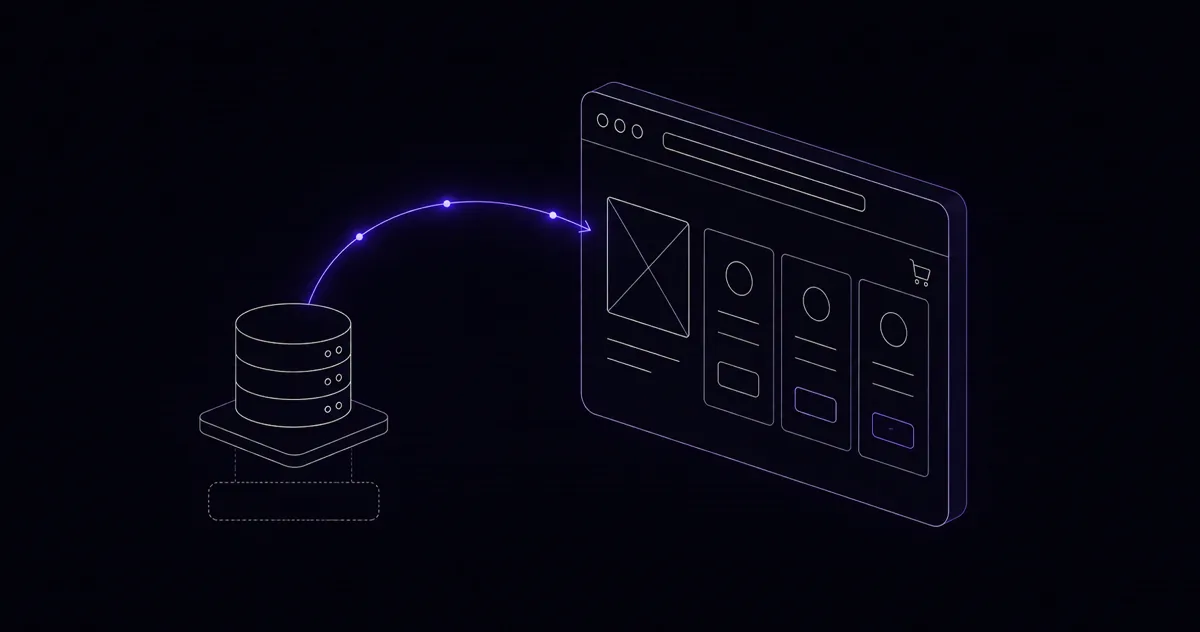
Decoupling Billing: Headless Next.js with WHMCS API Orchestration
The technical blueprint for building lightning-fast React frontends that communicate with legacy billing systems.

The Problem with WHMCS Templates
I have spent more hours than I care to admit wrestling with WHMCS Smarty templates. The templating system is powerful within its constraints, but those constraints become walls the moment a client asks for anything beyond stock WHMCS behavior — a custom checkout flow, a branded client portal that actually matches their site, or a dashboard that surfaces the data their customers actually care about. The answer I keep arriving at is the same: decouple the frontend entirely and use WHMCS purely as a billing engine accessed via its REST API.
In this article I will show you how I build custom client portals in Next.js that talk to WHMCS exclusively through the API, producing an experience that is faster, more maintainable, and dramatically better-looking than anything WHMCS templates can produce.
WHMCS REST API Basics
WHMCS offers two API interfaces: the legacy POST-based API at /includes/api.php and the newer REST API introduced in WHMCS 8. For new projects I use the REST API wherever it has coverage, falling back to the legacy endpoint only for actions not yet ported over.
Authentication uses HTTP Basic Auth with your API credentials, plus an optional IP whitelist enforced server-side. Every request should come from your Next.js server — never from the browser, because that would expose your credentials.
// lib/whmcs.ts
const WHMCS_URL = process.env.WHMCS_URL!;
const WHMCS_ID  = process.env.WHMCS_IDENTIFIER!;
const WHMCS_SEC = process.env.WHMCS_SECRET!;

export async function whmcsPost(action: string, params: Record) {
  const body = new URLSearchParams({
    action,
    identifier: WHMCS_ID,
    secret: WHMCS_SEC,
    responsetype: 'json',
    ...params,
  });
  const res = await fetch(`${WHMCS_URL}/includes/api.php`, {
    method: 'POST',
    body,
    cache: 'no-store',
  });
  return res.json();
}
Building the Authentication Flow
The client portal needs to verify a user's identity before showing any billing data. I use NextAuth.js with a custom credentials provider that calls WHMCS's ValidateLogin action, then stores the WHMCS client ID in the session JWT.
On successful login, I also call UserGetSSOToken and store the resulting token so that any links pointing back to native WHMCS pages (PDF invoices, for example) can auto-authenticate the user without a second login prompt. This hybrid approach gives you the best of both worlds — a fully custom portal for common tasks, with seamless fallback to native WHMCS for edge cases.
Order Creation Endpoints
One of the highest-value customizations I build is a streamlined order flow. The standard WHMCS order process is functional but generic. Using the API, I build multi-step React forms that collect exactly the information needed for a given product, then call AddOrder and AcceptOrder in sequence.
// pages/api/orders/create.ts
import { getServerSession } from 'next-auth';
import { whmcsPost } from '../../../lib/whmcs';

export default async function handler(req, res) {
  const session = await getServerSession(req, res, authOptions);
  if (!session) return res.status(401).json({ error: 'Unauthorized' });

  const { productId, billingCycle, domain } = req.body;
  const order = await whmcsPost('AddOrder', {
    clientid: session.user.whmcsId,
    pid: productId,
    billingcycle: billingCycle,
    domain,
  });

  if (order.result !== 'success') {
    return res.status(400).json({ error: order.message });
  }
  return res.status(200).json({ orderId: order.orderid });
}
Webhook Handling for Real-Time Updates
WHMCS fires hooks for every significant billing event. I configure these to POST to a Next.js API route, where I verify the source IP, parse the payload, and take the appropriate action — revalidating cached data, sending a custom notification, or triggering a downstream workflow.
The most important hooks to handle are InvoicePaid, ServiceActivated, and TicketOpen. When an invoice is paid, invalidate the client's invoice cache. When a service is activated, refresh the services list and optionally send a custom welcome email through your own email provider rather than WHMCS's built-in mailer, which gives you far more design control.
Caching Strategies
The client portal has two types of data with very different freshness requirements. Account information — name, email, address — changes rarely. I cache this in Redis with a 1-hour TTL and a webhook-triggered invalidation. Invoice and service data changes more often and matters more when wrong. I cache it for 5 minutes and always revalidate on user-initiated actions like clicking "Refresh" or navigating to the invoices page.
For server components in the Next.js App Router, I use the built-in fetch cache with per-tag revalidation. This lets a single webhook call to /api/revalidate?tag=invoices-${clientId} instantly refresh the cached data for exactly one client without touching anyone else's cache.
Why This Beats WHMCS Templates
The developer experience improvement alone justifies the approach. Debugging a Smarty template requires reading WHMCS's compiled template cache and guessing at variable names from sparse documentation. Debugging a Next.js component means using the browser DevTools you already know.
More concretely: the custom portals I build load the client dashboard in under 200ms on a warm cache, compared to 900ms to 1.5 seconds for a typical WHMCS client area. Clients notice. Their customers notice even more. And when a client asks for a new feature — a custom usage graph, an auto-renewal toggle, a domain management panel — I am adding a React component with TypeScript, not fighting with Smarty syntax and undocumented WHMCS hooks.
Decoupling billing from presentation is the right architectural decision for any hosting or SaaS business that takes its user experience seriously.
Want this built for your business?